
Table of Contents
- Can You Customize Message Cards?
- What to Write in a Gift Card That Feels Personal
- How to Personalize a Greeting Card: Step-by-Step
- Custom Message Card Examples for Every Occasion
- Short Gift Card Messages That Make an Impact
- Customization Limits and What You Need to Know
- Digital Versus Printed Message Cards
- Frequently Asked Questions
Last Updated: October 11, 2026
Can You Customize Message Cards?
At VEDA & LILY CO., we understand that the ability to customize message cards transforms a generic greeting into something deeply personal.

What to Write in a Gift Card That Feels Personal
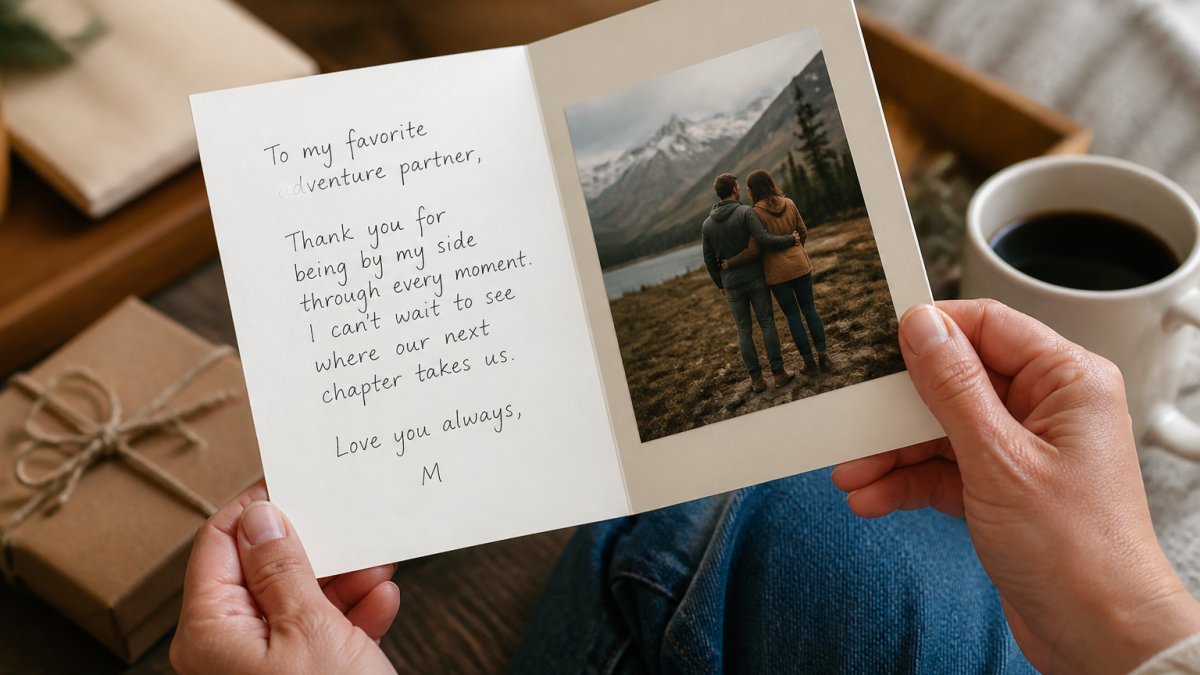
The words you choose matter more than the length. The best gift card messages combine specificity with emotion and reference something only you and the recipient would know.
Start with what you're feeling, celebrating a milestone, acknowledging a loss, or saying thank you. Let that emotion guide your tone, then add a specific detail: a shared memory, inside joke, or admired quality.
Here's what makes a message stick:
- It mentions something unique to your relationship
- It uses conversational language, not formal phrasing
- It's honest, even if brief
- It avoids clichés ("Wishing you all the best")
VEDA & LILY CO. includes thoughtfully written message cards with every gift, designed to express sentiments that are sometimes hard to say yourself.

How to Personalize a Greeting Card: Step-by-Step
Personalizing a greeting card online follows a consistent workflow. Here's how to move from selection to a print-ready card while avoiding costly mistakes.
Step 1: Select Your Card Design and Template
Browse available card designs filtered by occasion, style, or recipient. The template you choose sets the visual foundation for your customization.
Standard sizes are 5" × 7" (folded greeting card) or 4" × 6" (postcard style). Some services offer square cards (6" × 6") or oversized formats. Consider where the recipient will display it, smaller cards fit in wallets, larger formats make stronger visual statements. Check the service's specifications for final printed dimensions, as screen display may differ from the finished product.
Step 2: Add Your Custom Text and Message
Most services provide text boxes for the main greeting, inside message, and sometimes back or envelope text. Keep the tone consistent with your relationship, formal for professional contexts, warm for family, playful for close friends.
Check the character limit for each field. Most services allow 100-500 characters per text box. If adding a long message, test how it fits before committing.
Step 3: Choose Fonts, Colors, and Text Placement
Font choice affects how your message feels. Serif fonts feel traditional and formal; sans-serif fonts feel modern and clean; script fonts feel romantic but can sacrifice readability if too ornate.
Test your font selection in the preview. Avoid using more than two fonts on a single card.
Dark text on light backgrounds ensures readability and prints reliably. Light text on dark backgrounds can feel elegant but risks legibility issues. Test your color choices in the preview before ordering.
Text placement is adjustable through alignment options or by dragging text boxes. Ensure text doesn't overlap with photos or design elements, and leave at least 0.25" margin from card edges to avoid cutoff during printing.
Step 4: Add a Personal Photo
Most customizable cards let you upload a photo. Choose a clear, well-lit image with good contrast.
Check the service's file requirements: JPG and PNG are standard formats; file size is usually capped at 10 MB; 300 DPI is standard for print quality (72 DPI will appear pixelated); the service specifies ideal pixel dimensions for your card size.
Position the photo thoughtfully. Full-bleed photos create visual impact but require careful cropping; framed photos with white space feel classic and are safer for important moments. Test multi-photo arrangements in the preview to ensure balance.
Step 5: Preview, Proof, and Correct Before Ordering
Always preview your card in full before ordering. Most services show a digital mockup of both front and inside.
Use this checklist: spelling and grammar (read aloud); spacing and alignment; color accuracy; photo placement and quality; margins and cutoff; font readability; overall balance and cohesion.
If something looks off, edit it immediately. Most services allow unlimited edits before you finalize and pay.
Some services offer a "proof" option for digital or physical samples before full printing. For orders of 10+ cards or high-stakes occasions (wedding, funeral, major milestone), a proof is worth the extra cost.
Custom Message Card Examples for Every Occasion
Different occasions call for different tones. Birthday: "Another year older, still the same person I've always admired. Happy birthday." Anniversary: "We've built something real. Here's to more years of choosing each other." New baby: "Welcome to the world. You're already loved more than you know." Sympathy: "I'm thinking of you during this difficult time. I'm here if you need anything." Promotion: "You earned this. Watching you succeed never gets old. Congratulations." Wedding: "Two people who make each other better. That's what we're celebrating today." The best examples reference shared history or acknowledge something true about the person.
To My Girlfriend “My Favorite Love Story” Love Knot Necklace with Rotating Rose →
Short Gift Card Messages That Make an Impact
A two-sentence message can hit harder than a paragraph. "You've always been there for me. Thank you for being exactly who you are." "I see your strength. I see your kindness. I see you." "Life is better with you in it." The power is in specificity and honesty. Short messages are memorable and matter.
Customization Limits and What You Need to Know
Not all customization options are unlimited. Understanding the boundaries helps you plan and avoid costly reprints or delays.
Text and Character Limits
Most services limit characters per text field to 100-500 depending on the card and field. Check the character count before you start if writing a longer message.
If your message is too long, you have options: break it into two cards, use a shorter version and include a handwritten note in the envelope, or choose a card template with a larger text area.
Photo Upload and Resolution Requirements
Photo uploads often have strict size and resolution restrictions:
- File size: Usually capped at 10 MB. Compress large files before uploading to avoid rejection.
- Resolution: 300 DPI is the standard for sharp printing. Images at 72 DPI (typical for web or social media) will appear blurry or pixelated when printed. If your image is too low-resolution, the service will either warn you or automatically downscale it, resulting in poor quality.
- Accepted formats: JPG and PNG are universal. GIF, TIFF, and PDF support varies by service.
- Dimensions: The service specifies ideal pixel dimensions for your card size. Uploading an image smaller than recommended will force upscaling, which degrades quality.
If you don't have a high-resolution photo, consider using a stock photo service or asking the recipient for a better version before ordering.
Design and Color Customization
Design customization varies widely by template. Some cards let you change colors freely across the entire design. Others lock you into preset color schemes (e.g., "Choose from 5 color palettes"). Font selection might be limited to 5-10 options rather than unlimited choices. If the template doesn't offer the customization you want, you may need to choose a different template or use a more advanced design tool.
Some services offer "blank" or "DIY" templates that give you maximum control but require more design skill. Others provide "guided" templates that limit options but ensure a polished result.
Minimum Order Quantities and Bulk Pricing
Many services require you to order at least one card, though some have minimums of 5 or 10. If you want a single custom card, confirm that's possible before starting the design. Bulk orders often qualify for discounts: ordering 25 cards might cost less per unit than ordering 5. If you're sending cards to multiple recipients, bulk ordering can save money.
Turnaround Time and Rush Options
Turnaround time affects your choices and costs. Standard printing typically takes 5-10 business days from order to shipment. Rush orders (2-3 business days) cost 50-100% more. Expedited shipping adds another 1-3 days and additional fees. Plan accordingly, especially for time-sensitive occasions like birthdays or sympathy cards. If you're ordering close to the date you need the cards, confirm the service can meet your deadline before customizing.
Accessibility and Readability Considerations
While not a technical limit, accessibility affects whether your customized card can be read and enjoyed by all recipients. Consider these factors when customizing:
- Font size: Text smaller than 10 points becomes difficult to read, especially for recipients over 50 or with vision challenges. Most services default to 12-14 points, which is safe.
- Color contrast: Light text on light backgrounds or dark text on dark backgrounds fails accessibility standards. Stick to high-contrast pairs: dark text on white, white text on dark, or complementary colors with strong contrast.
- Font clarity: Ornate script fonts and very thin fonts reduce readability. If your recipient has low vision, choose clear, sans-serif fonts.
- Plain language: Avoid overly formal, flowery, or jargon-heavy wording. Straightforward, conversational language is easier to read and understand.
Image Rights and Privacy
When uploading personal photos, consider:
- Permissions: If the photo includes other people, confirm they're comfortable with it being printed and mailed or shared. For group photos or images of children, explicit permission is essential.
- Privacy: Avoid uploading photos with sensitive background details (home address visible, personal documents, etc.). Once printed and mailed, you lose control of the image.
- Archiving: Some services retain uploaded images in your account or for their records. Check the privacy policy if you're concerned about how long your photos are stored.
- Sharing: If you're ordering cards to send to many recipients, be aware that each recipient will see the photo. Use images you're comfortable sharing widely.
Working Within Limits
If a template's limits don't match your vision, you have options: choose a different template, use a service that offers more customization, or combine a printed card with a handwritten note to add personalization that the template doesn't support. The best approach depends on your timeline, budget, and how much customization matters for that particular occasion.
Digital Versus Printed Message Cards
Printed cards create a physical keepsake.
Printed cards work for:
- Formal occasions like weddings or funerals
- Recipients who value physical keepsakes
- Situations where the tangible object matters
- People who display cards on shelves or refrigerators
VEDA & LILY CO. recognizes this by pairing beautifully printed message cards with every gift, creating a moment when the recipient opens something real and holds something meaningful.
VEDA & LILY CO. makes this easier by including thoughtfully written message cards with every gift, each one designed to help you express what matters most. Shop meaningful gifts and let your words, combined with ours, create a memory that lasts.
Frequently Asked Questions
Can I customize the message on a gift card or greeting card?
Most greeting cards and gift cards allow you to customize the message. Many retailers offer online design tools that let you preview your customized card before ordering. Check the specific card's customization options when you select it.
What should I write in a personalized message card to make it feel heartfelt?
A heartfelt message connects specific memories or qualities to the recipient. Instead of generic phrases, mention something unique about your relationship, a shared moment, or why this gift matters. Be honest about your feelings. For example, 'I remember when you told me...' or 'You've always been the person who...' works better than 'Congratulations on your achievement.' Keep it genuine rather than overly formal, and let your natural voice come through. Personal details and sincere emotion resonate far more than polished, impersonal wording.
Are there limits to how much text I can add to a custom message card?
Most customizable message cards have character or word limits to ensure text fits properly and remains readable. Typical limits range from 100 to 500 characters depending on the card size and design. Smaller cards or those with intricate designs may have tighter restrictions. When you customize your card online, the design tool usually shows you how much space is available and alerts you if you exceed the limit. It's best to keep messages concise anyway, short, meaningful messages often have more impact than lengthy ones.
Can I preview my customized card before I place my order?
Most online card customization platforms include a preview feature that shows exactly how your card will look when printed. This is crucial for catching typos, checking that text is readable, and ensuring colors and spacing look right. Always review your preview carefully. Some retailers allow you to make corrections after previewing, so take advantage of this step to ensure quality.